










Blogs

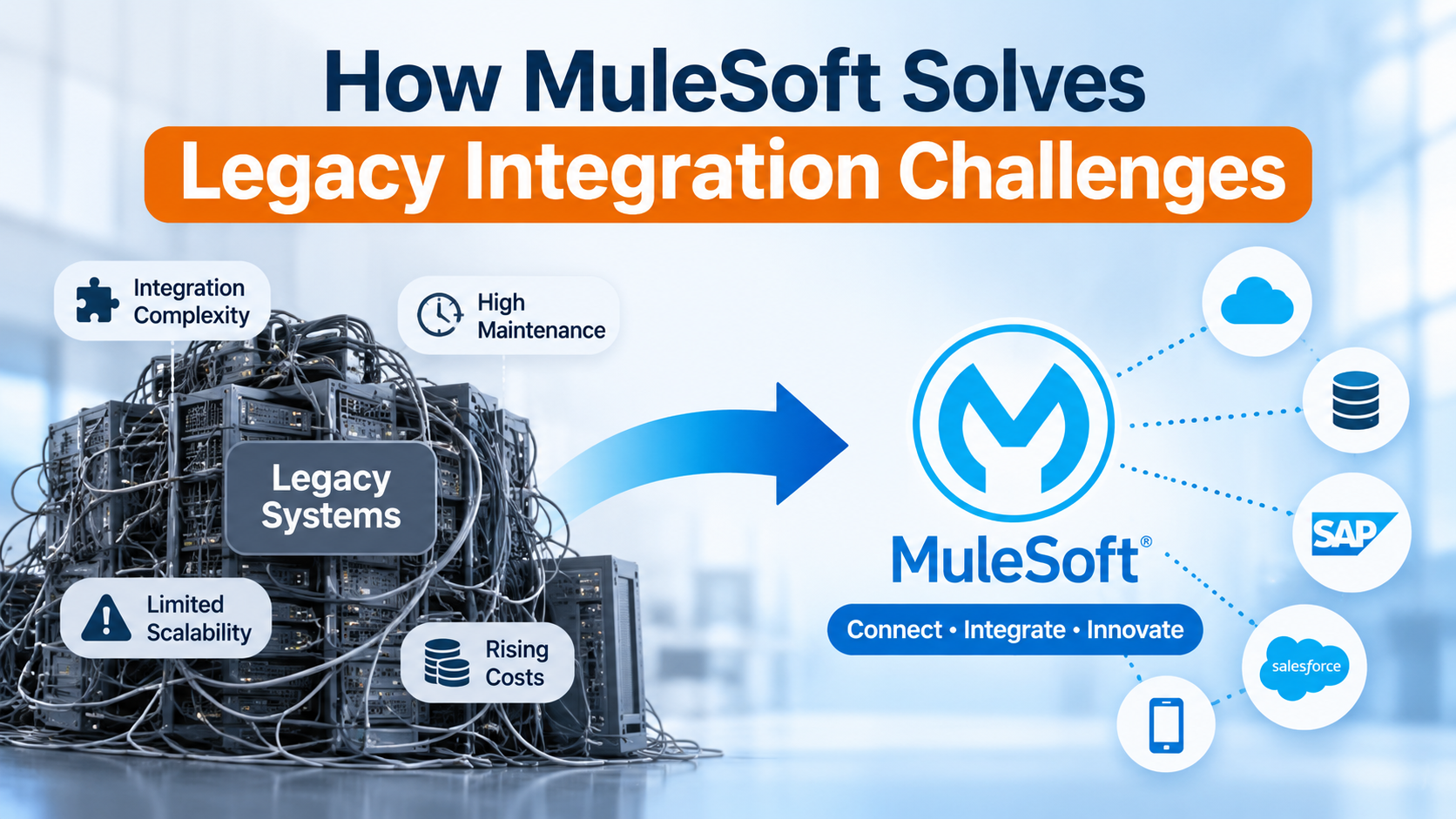
How MuleSoft Solves Legacy Integration Challenges

 1

Businesses today depend on multiple applications to manage customer relationships, sales, finance, operations, and customer support. However, managing these operations across multiple applications can create problems for data handling and workflow maintenance. To centralize operations and platforms, Salesforce offers MuleSoft as a practical way to maintain business tools.

MuleSoft Salesforce integration helps businesses connect Salesforce with legacy applications, ERP platforms, databases, and other enterprise systems through APIs, enabling smoother data exchange and more connected business processes.

In this blog, we explore how MuleSoft simplifies legacy system integration, its business benefits, and how organizations can build a scalable integration environment.

Why is Legacy System Integration Challenging?

Many organizations continue to rely on legacy applications that support critical business operations. Replacing these systems entirely can be expensive, time-consuming, and disruptive.

However, connecting them with modern platforms like Salesforce introduces several challenges.

1. Disconnected Applications

Different departments often use separate applications to manage their activities. Without proper integration, employees must manually transfer information between systems, increasing operational effort.

2. Data Silos

Customer and business information may be stored across Salesforce, ERP systems, databases, and internal applications. This makes it difficult to maintain consistent records and access accurate information.

3. Complex Integration Architecture

Older applications may rely on outdated technologies, custom connections, or limited API capabilities. Connecting these systems with modern cloud platforms requires careful integration planning.

4. High Maintenance Costs

Traditional point-to-point integrations create dependencies between individual applications. Changes to one system can affect multiple connections, increasing maintenance and development requirements.

5. Limited Scalability

As businesses introduce new applications and expand their operations, existing integration methods may struggle to support increasing data exchange and workflow requirements.

Organizations need an integration strategy that connects their existing technology investments while supporting future growth.

What is MuleSoft Salesforce Integration?

MuleSoft Salesforce integration involves connecting Salesforce with other business applications using MuleSoft's Anypoint Platform.

MuleSoft provides an integration platform that enables different applications, systems, and data sources to communicate through APIs (Application Programming Interfaces).

Instead of creating individual connections between every application, businesses can develop reusable APIs that simplify communication across their technology environment.

For example, an organization might use:

- Salesforce for customer relationship management.

- SAP for enterprise resource planning.

- ServiceNow for IT service management.

- Legacy databases for historical customer information.

- Internal applications for inventory and order management.

With MuleSoft, these applications can exchange relevant information and support connected business workflows.

This allows organizations to modernize application connectivity without immediately replacing their existing systems.

How MuleSoft Solves Legacy Integration Challenges

MuleSoft offers several capabilities that help businesses connect legacy infrastructure with modern enterprise applications.

1. API-Led Connectivity

MuleSoft supports an API-led connectivity approach that organizes integrations into three layers:

- System APIs: Connect with underlying applications, databases, and legacy systems.

- Process APIs: Manage business logic and combine information from multiple systems.

- Experience APIs: Deliver relevant data to specific applications and user experiences.

This architecture promotes API reusability and reduces the need for multiple independent application connections.

2. Connecting Legacy Systems with Salesforce

Businesses do not always need to replace older applications to modernize their technology environment.

MuleSoft can connect legacy systems with Salesforce through APIs, connectors, and suitable integration methods.

For example, an organization can integrate its existing ERP platform with Salesforce to exchange customer, product, and order information.

This improves application interoperability while allowing businesses to retain valuable existing infrastructure.

3. Automated Data Exchange

Manual data transfers can create delays, inconsistencies, and unnecessary administrative work.

With appropriate integration patterns, MuleSoft supports real-time and asynchronous data exchange between Salesforce and external applications.

For example, when a customer record is created in Salesforce, relevant information can be shared with another connected business application.

This helps improve data accessibility and reduce repetitive manual activities.

4. Reusable APIs and Simplified Maintenance

Building individual integrations for every application can increase development complexity.

MuleSoft enables organizations to create reusable APIs that can support multiple business applications and workflows.

This reduces duplicated integration development and makes it easier to introduce additional applications as business requirements evolve.

5. Centralized API Management

Managing numerous application connections can become difficult as enterprise technology environments expand.

MuleSoft's Anypoint Platform provides capabilities to design, deploy, manage, and monitor APIs and integrations.

This helps IT teams maintain better visibility into their integration environment and manage application connectivity more systematically.

Practical Use Cases of MuleSoft Salesforce Integration

Here are some common enterprise scenarios where MuleSoft can support Salesforce integration.

Salesforce and ERP Integration

Challenge: Sales teams use Salesforce, while finance and operations teams depend on an ERP platform. Information is maintained separately across both systems.

Solution: Integrate Salesforce with the ERP platform to exchange relevant customer, product, and order information.

Business benefits:

- Improved coordination between departments.

- Reduced manual data entry.

- Better order information visibility.

- More consistent business records.

Salesforce and Legacy Database Integration

Challenge: Important customer information is stored in older databases that do not directly communicate with Salesforce.

Solution: Use MuleSoft to expose relevant database information through APIs and make it accessible to connected applications.

Business benefits:

1. Continued access to historical information.

2. Reduced manual data transfers.

3. Improved customer information accessibility.

4. Modernized connectivity without immediately replacing existing databases.

Salesforce and ServiceNow Integration

Challenge: Customer-facing teams use Salesforce, while IT teams manage service requests through ServiceNow.

Solution: Connect both platforms to exchange relevant customer, case, and service information.

Business benefits:

1. Better coordination between teams.

2. Improved service request visibility.

3. Reduced information silos.

4. More connected support on workflows.

Best Practices for Successful Salesforce Integration

A successful integration project requires more than connecting two applications. Businesses should establish a clear integration strategy.

Consider these best practices:

1. Assess existing infrastructure: Identify applications, databases, APIs, and legacy systems that need to communicate with Salesforce.

2. Define integration requirements: Determine the information to be exchanged and whether real-time or batch processing is appropriate.

3. Prioritize API reusability: Develop reusable integration components instead of creating isolated connections.

4. Implement security controls: Establish appropriate authentication, authorization, and data protection measures.

5. Monitor integration performance: Implement error handling, monitoring, and recovery mechanisms.

6. Test before deployment: Validate data accuracy, security, and integration performance before production deployment.

How SGS Technologie Helps with Salesforce Integration Services

Connecting Salesforce with existing enterprise applications requires a combination of technical expertise, integration planning, and an understanding of business processes.

SGS Technologie helps businesses explore technology solutions that support application connectivity, modernization, and operational efficiency. As a certified Salesforce implementation partner, our Salesforce integration services focus on helping organizations create connected application environments and improve information exchange across their technology ecosystem.

Our approach includes:

- Integration Assessment: Evaluating existing applications, infrastructure, and business requirements.

- Integration Strategy: Identifying suitable integration approaches based on technology and operational objectives.

- Custom Integration Development: Developing integrations between Salesforce and relevant enterprise applications.

- Legacy System Connectivity: Helping businesses connect existing applications with modern platforms.

- Integration Optimization: Identifying opportunities to improve existing integrations and application interoperability.

Whether your organization needs to connect Salesforce with an ERP platform, modernize legacy application connectivity, or streamline information exchange across multiple systems, choosing the right integration strategy is essential.

Looking to connect Salesforce with your existing business applications?

Partner with SGS Technologie to explore integration solutions aligned with your business requirements.

Explore our Salesforce Integration Services and take the next step toward a more connected enterprise.

Category : Salesforce

Businesses today depend on multiple applications to manage customer relationships, sales, finance, operations, and customer support. However, managing these operations across multiple applications can create problems for data handling and workflow maintenance. To centralize operations and platforms, Salesforce offers MuleSoft as a practical way to maintain business tools.

MuleSoft Salesforce integration helps businesses connect Salesforce with legacy applications, ERP platforms, databases, and other enterprise systems through APIs, enabling smoother data exchange and more connected business processes.

In this blog, we explore how MuleSoft simplifies legacy system integration, its business benefits, and how organizations can build a scalable integration environment.

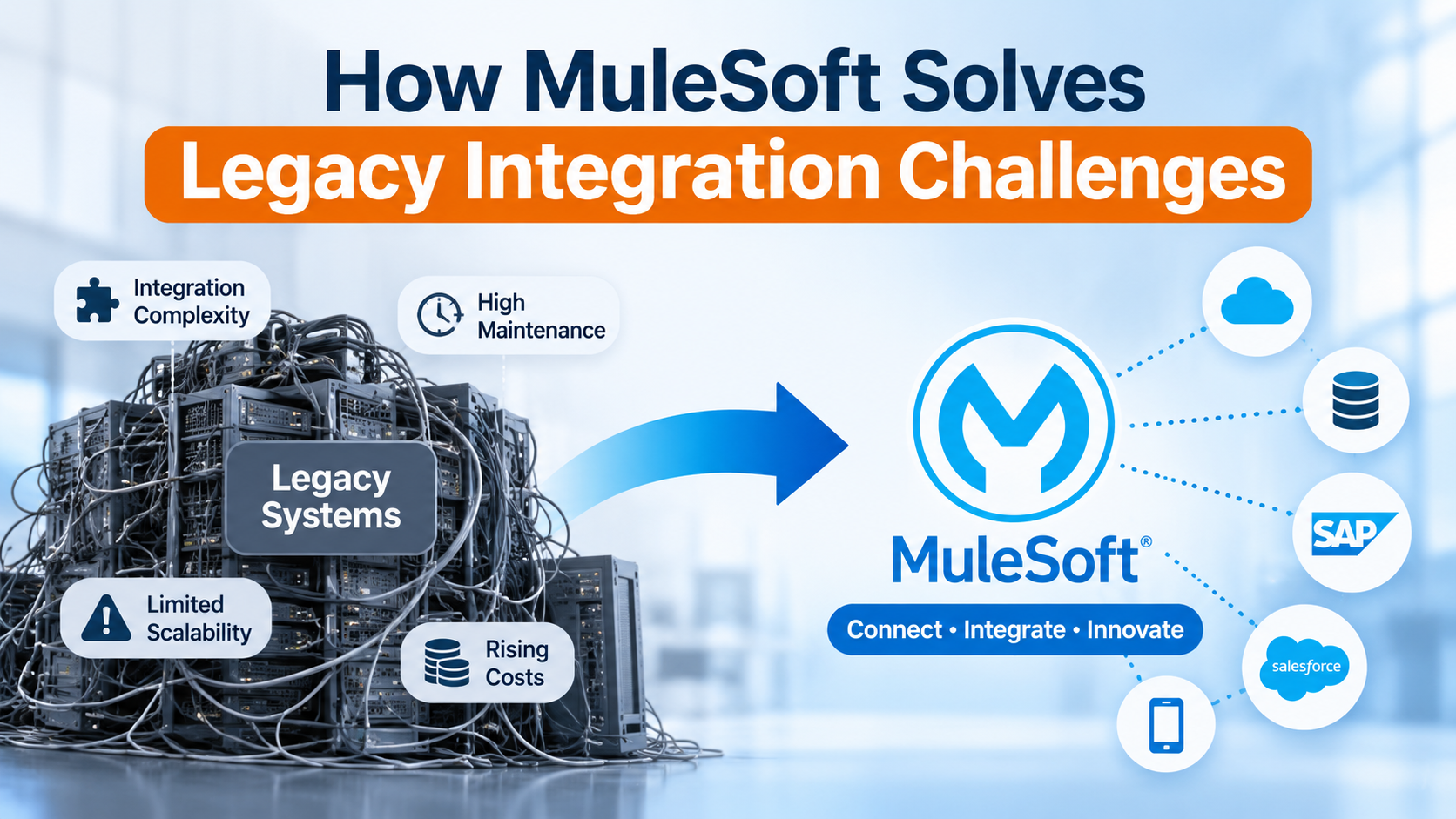
Why is Legacy System Integration Challenging?

Many organizations continue to rely on legacy applications that support critical business operations. Replacing these systems entirely can be expensive, time-consuming, and disruptive.

However, connecting them with modern platforms like Salesforce introduces several challenges.

1. Disconnected Applications

Different departments often use separate applications to manage their activities. Without proper integration, employees must manually transfer information between systems, increasing operational effort.

2. Data Silos

Customer and business information may be stored across Salesforce, ERP systems, databases, and internal applications. This makes it difficult to maintain consistent records and access accurate information.

3. Complex Integration Architecture

Older applications may rely on outdated technologies, custom connections, or limited API capabilities. Connecting these systems with modern cloud platforms requires careful integration planning.

4. High Maintenance Costs

Traditional point-to-point integrations create dependencies between individual applications. Changes to one system can affect multiple connections, increasing maintenance and development requirements.

5. Limited Scalability

As businesses introduce new applications and expand their operations, existing integration methods may struggle to support increasing data exchange and workflow requirements.

Organizations need an integration strategy that connects their existing technology investments while supporting future growth.

What is MuleSoft Salesforce Integration?

MuleSoft Salesforce integration involves connecting Salesforce with other business applications using MuleSoft's Anypoint Platform.

MuleSoft provides an integration platform that enables different applications, systems, and data sources to communicate through APIs (Application Programming Interfaces).

Instead of creating individual connections between every application, businesses can develop reusable APIs that simplify communication across their technology environment.

For example, an organization might use:

- Salesforce for customer relationship management.

- SAP for enterprise resource planning.

- ServiceNow for IT service management.

- Legacy databases for historical customer information.

- Internal applications for inventory and order management.

With MuleSoft, these applications can exchange relevant information and support connected business workflows.

This allows organizations to modernize application connectivity without immediately replacing their existing systems.

How MuleSoft Solves Legacy Integration Challenges

MuleSoft offers several capabilities that help businesses connect legacy infrastructure with modern enterprise applications.

1. API-Led Connectivity

MuleSoft supports an API-led connectivity approach that organizes integrations into three layers:

- System APIs: Connect with underlying applications, databases, and legacy systems.

- Process APIs: Manage business logic and combine information from multiple systems.

- Experience APIs: Deliver relevant data to specific applications and user experiences.

This architecture promotes API reusability and reduces the need for multiple independent application connections.

2. Connecting Legacy Systems with Salesforce

Businesses do not always need to replace older applications to modernize their technology environment.

MuleSoft can connect legacy systems with Salesforce through APIs, connectors, and suitable integration methods.

For example, an organization can integrate its existing ERP platform with Salesforce to exchange customer, product, and order information.

This improves application interoperability while allowing businesses to retain valuable existing infrastructure.

3. Automated Data Exchange

Manual data transfers can create delays, inconsistencies, and unnecessary administrative work.

With appropriate integration patterns, MuleSoft supports real-time and asynchronous data exchange between Salesforce and external applications.

For example, when a customer record is created in Salesforce, relevant information can be shared with another connected business application.

This helps improve data accessibility and reduce repetitive manual activities.

4. Reusable APIs and Simplified Maintenance

Building individual integrations for every application can increase development complexity.

MuleSoft enables organizations to create reusable APIs that can support multiple business applications and workflows.

This reduces duplicated integration development and makes it easier to introduce additional applications as business requirements evolve.

5. Centralized API Management

Managing numerous application connections can become difficult as enterprise technology environments expand.

MuleSoft's Anypoint Platform provides capabilities to design, deploy, manage, and monitor APIs and integrations.

This helps IT teams maintain better visibility into their integration environment and manage application connectivity more systematically.

Practical Use Cases of MuleSoft Salesforce Integration

Here are some common enterprise scenarios where MuleSoft can support Salesforce integration.

Salesforce and ERP Integration

Challenge: Sales teams use Salesforce, while finance and operations teams depend on an ERP platform. Information is maintained separately across both systems.

Solution: Integrate Salesforce with the ERP platform to exchange relevant customer, product, and order information.

Business benefits:

- Improved coordination between departments.

- Reduced manual data entry.

- Better order information visibility.

- More consistent business records.

Salesforce and Legacy Database Integration

Challenge: Important customer information is stored in older databases that do not directly communicate with Salesforce.

Solution: Use MuleSoft to expose relevant database information through APIs and make it accessible to connected applications.

Business benefits:

1. Continued access to historical information.

2. Reduced manual data transfers.

3. Improved customer information accessibility.

4. Modernized connectivity without immediately replacing existing databases.

Salesforce and ServiceNow Integration

Challenge: Customer-facing teams use Salesforce, while IT teams manage service requests through ServiceNow.

Solution: Connect both platforms to exchange relevant customer, case, and service information.

Business benefits:

1. Better coordination between teams.

2. Improved service request visibility.

3. Reduced information silos.

4. More connected support on workflows.

Best Practices for Successful Salesforce Integration

A successful integration project requires more than connecting two applications. Businesses should establish a clear integration strategy.

Consider these best practices:

1. Assess existing infrastructure: Identify applications, databases, APIs, and legacy systems that need to communicate with Salesforce.

2. Define integration requirements: Determine the information to be exchanged and whether real-time or batch processing is appropriate.

3. Prioritize API reusability: Develop reusable integration components instead of creating isolated connections.

4. Implement security controls: Establish appropriate authentication, authorization, and data protection measures.

5. Monitor integration performance: Implement error handling, monitoring, and recovery mechanisms.

6. Test before deployment: Validate data accuracy, security, and integration performance before production deployment.

How SGS Technologie Helps with Salesforce Integration Services

Connecting Salesforce with existing enterprise applications requires a combination of technical expertise, integration planning, and an understanding of business processes.

SGS Technologie helps businesses explore technology solutions that support application connectivity, modernization, and operational efficiency. As a certified Salesforce implementation partner, our Salesforce integration services focus on helping organizations create connected application environments and improve information exchange across their technology ecosystem.

Our approach includes:

- Integration Assessment: Evaluating existing applications, infrastructure, and business requirements.

- Integration Strategy: Identifying suitable integration approaches based on technology and operational objectives.

- Custom Integration Development: Developing integrations between Salesforce and relevant enterprise applications.

- Legacy System Connectivity: Helping businesses connect existing applications with modern platforms.

- Integration Optimization: Identifying opportunities to improve existing integrations and application interoperability.

Whether your organization needs to connect Salesforce with an ERP platform, modernize legacy application connectivity, or streamline information exchange across multiple systems, choosing the right integration strategy is essential.

Looking to connect Salesforce with your existing business applications?

Partner with SGS Technologie to explore integration solutions aligned with your business requirements.

Explore our Salesforce Integration Services and take the next step toward a more connected enterprise.
Category
images
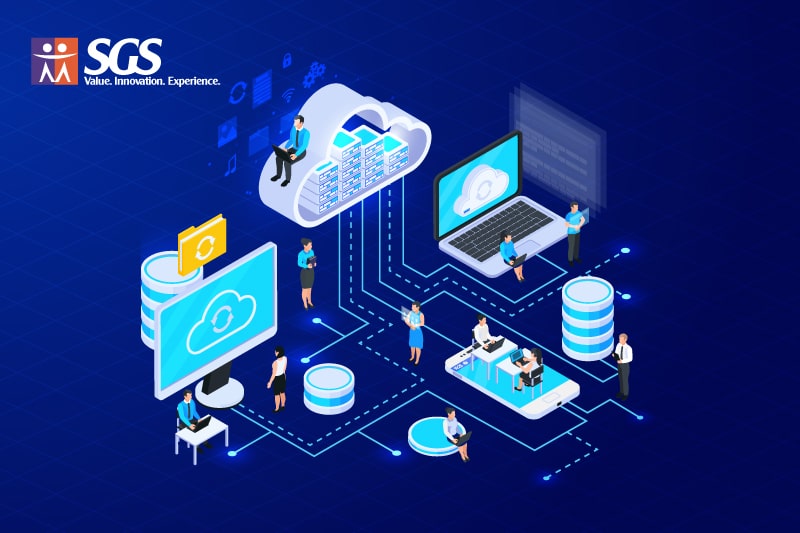
MuleSoft simplifying legacy system integration by connecting cloud platforms, databases, SAP, and Salesforce.